Presurgical fMRI Suite: From Task to Report
An end-to-end, local-first workflow for presurgical functional mapping: task delivery in the scanner, automated analysis, and a clinician-ready report.
Why this workflow
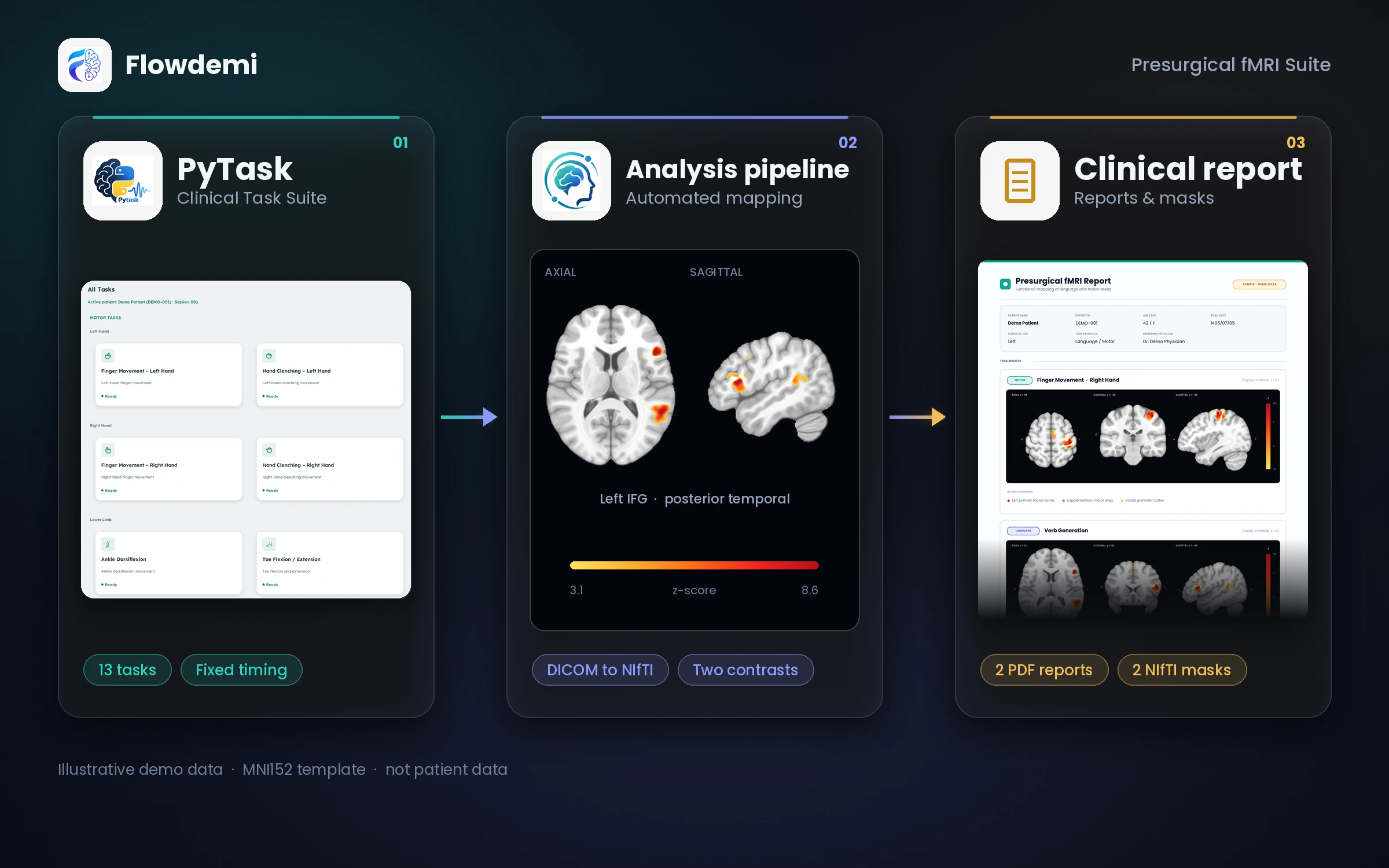
Before brain tumor surgery, the surgeon needs to know exactly where language and motor areas lie. This mapping usually depends on several separate tools, manual tuning, and time-consuming reporting. Our workflow runs the task in your scanner with PyTask, and our team analyzes every patient's data in the same way and delivers a report a clinician can read quickly.
From scanner to report
Run the task
PyTask delivers motor and language tasks in the scanner and saves onset files named by patient and task.
Analyze the data
You send us the DICOMs and onset files. Our team runs our own pipeline: DICOM conversion, preprocessing, and per-task analysis, with no per-patient manual tuning.
Deliver the report
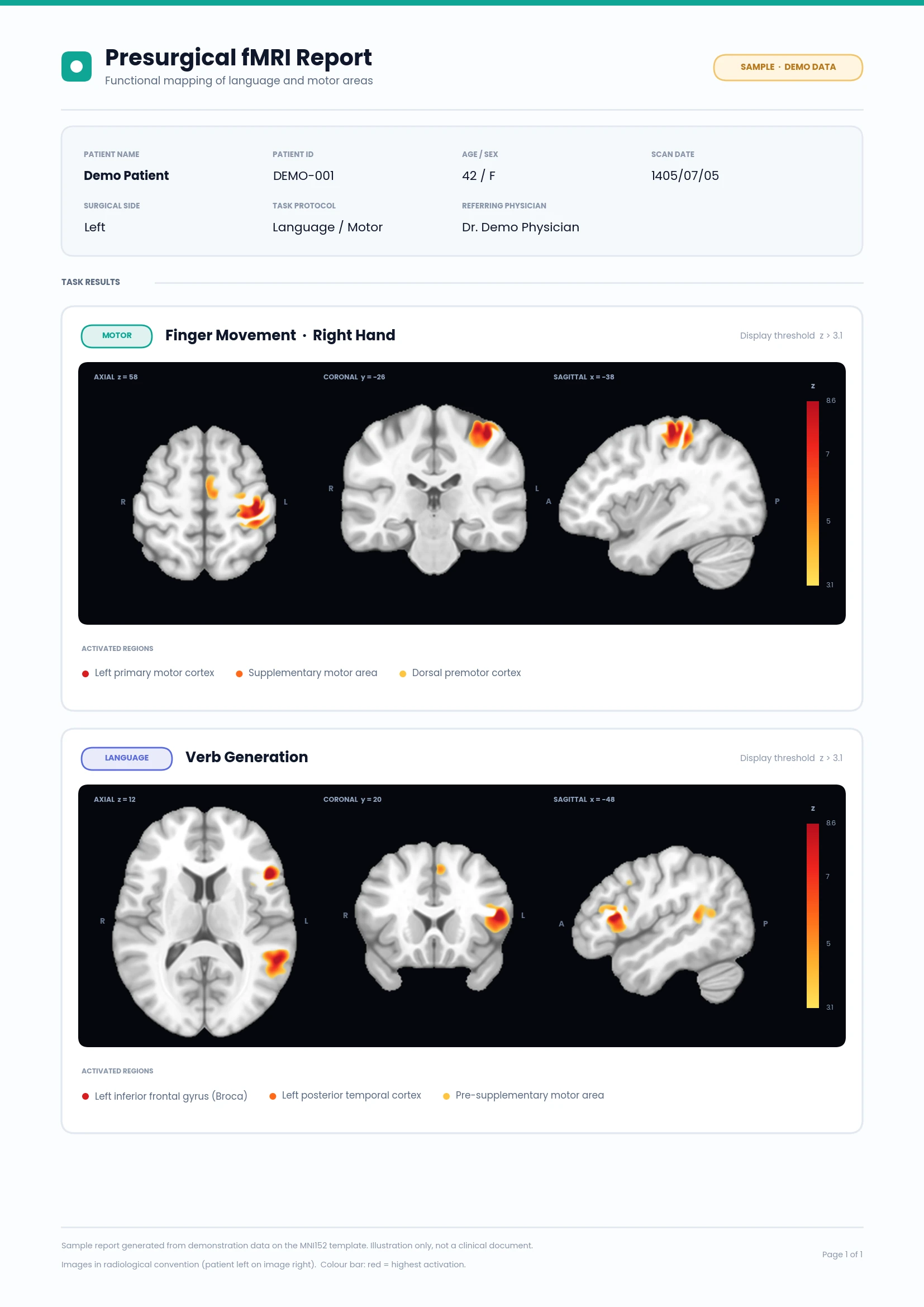
We deliver a main report, a technical report, and activation masks, ready for use in imaging software.
PyTask: task delivery in the scanner
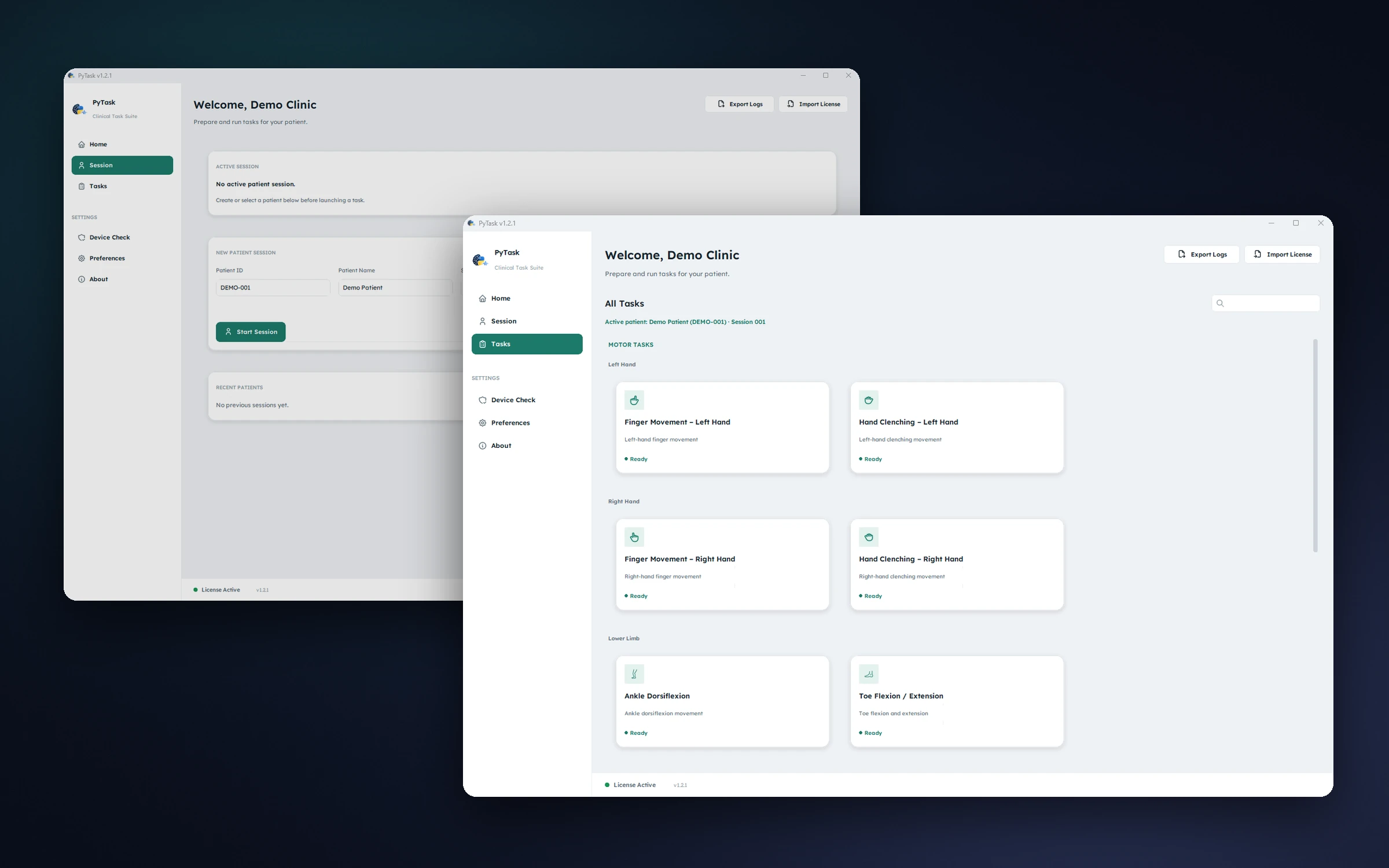
A Windows desktop app for delivering fMRI tasks in the scanner, built for the scanner operator: pick the patient, choose a task, and start it with one key press in sync with the scan.
- 15 ready-to-run tasks: 8 motor and 7 language, including a two-run auditory localizer
- A modern, simple launcher: patient sessions, task search with details for each task, device check and preferences
- Starts with a single key press in sync with the scan, and saves an onset file and a precise timing record for every run
- Outputs are saved neatly by patient and task, ready to match with DICOMs
Sign in to view the license pricing.
Sign inAnalysis pipeline
Our in-house pipeline, run by our team on the data you send: DICOMs in, activation masks and reports out, with one fixed logic for every patient.
- DICOM conversion with exact timing read from the headers
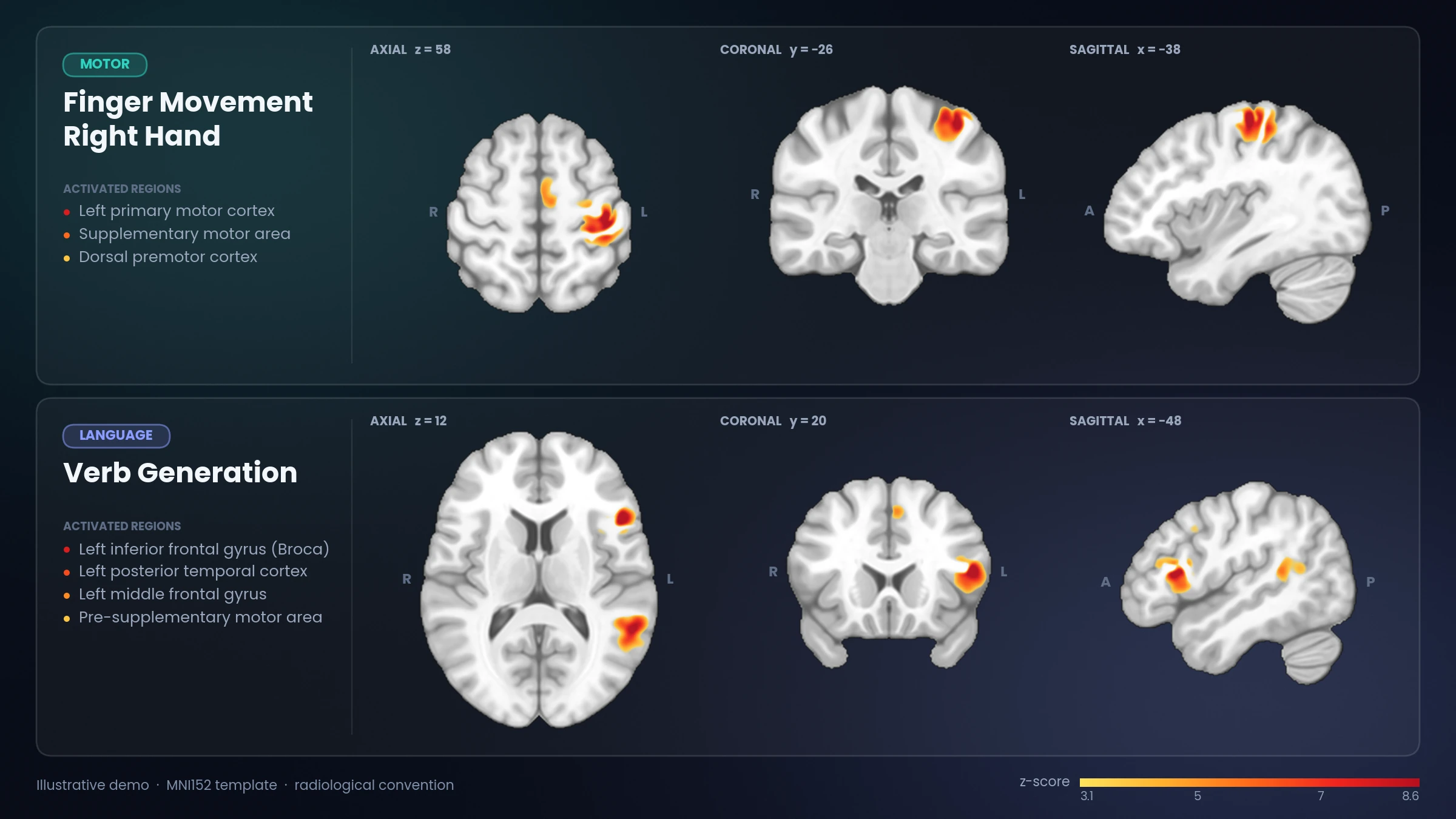
- Two contrasts per task: task > control and control > task
- Hemispheres defined with masks warped into the patient's own space
- Only relevant regions shown: language ROIs for language tasks, motor ROIs for motor tasks
- Activation masks registered to post-contrast T1 and FLAIR
What gets delivered
You receive a delivery folder with exactly four things:
- A main report with a card-style layout
- A technical report with region tables
- Activation mask on post-contrast T1
- Activation mask on FLAIR
After paying, you send us the PyTask output and the DICOMs from your order page. We run the analysis and deliver the report there.